


Product prelaunch


1


$
0
FREE
The following is a modified version of a project management template that can be used to coordinate any team effort. This template is based on the one used by the team at The Futur for prelaunching digital products, but all specific and detailed information has been removed. Use this structure to help manage your own team projects.

Details

Categories

More templates from
The Futur
The following is a modified version of a project management template that can be used to coordinate any team effort. This template is based on the one used by the team at The Futur for prelaunching digital products, but all specific and detailed information has been removed. Use this structure to help manage your own team projects.
Related templates
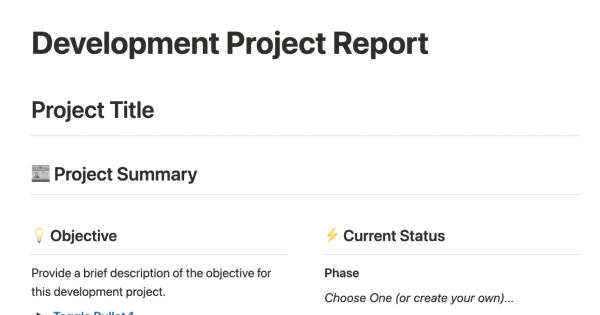
This template is designed to help stakeholders in a development project track the design, development, current status, and delivery of a software project. It can easily be connected to databases for development tickets, meeting notes, and other items related to the project, allowing all relevant parties to stay informed and up-to-date on the progress of the project.


To ensure that your teams are aligned on release dates, processes, and context, it is important to maintain a single database that enables cross-functional collaboration and simplifies information sharing among teams. This template allows you to filter your product releases by platform, status, or type, and provides database templates for new features and bug fixes. By using this template, you can keep everyone on your team informed and aligned by tracking all releases in a shared database.


If you struggle with keeping track of multiple projects that are constantly changing and have trouble prioritizing your tasks each day, this template may be helpful. It provides a comprehensive view of your ongoing projects, daily tasks, and events, allowing you to organize and manage your workload more effectively.


Project charters are a crucial element of any project and play a vital role in setting the direction of your venture. They serve as a tool to align sponsors, stakeholders, and the team, and provide a clear overview of the project's scope, objectives, and participants. Use this template to create a dynamic project charter that stays relevant throughout the project.

This template allows you to organize all your product-related documentation in one place, with easy-to-navigate sections for guides and processes. It provides a convenient way to keep all your product documentation in a single, organized location.
The following is a modified version of a project management template that can be used to coordinate any team effort. This template is based on the one used by the team at The Futur for prelaunching digital products, but all specific and detailed information has been removed. Use this structure to help manage your own team projects.

The product offers a solution for organizing clients, projects, and tasks in a single system. This helps users manage their projects more efficiently and handle orders professionally. Good organization allows for a more calm and controlled work environment.


Collecting feedback is an essential part of any growing startup looking to improve their product. This feedback tracker allows you to centralize all of your product feedback from various platforms into a single, accessible database. Use the Notion Web Clipper to quickly capture online feedback and embed the details into a subpage. You can prioritize certain features by categorizing feedback with quantifiable tags. This template will help give your customers a voice and provide clarity on what the team should focus on.

Every engineering team should have an engineering wiki in order to ship products quickly and with high quality. This template can serve as a single source of truth, helping to maintain consistency, promote good programming habits, and keep everyone on the same page.

+1 Labs, the innovation lab at Match Group (Tinder, Hinge, Match, OkCupid), developed this roadmap template to help teams prioritize their big bets for the year and maintain a clear vision and focus. The template is designed to provide clarity around what the team wants to pursue and when, allowing them to move forward with confidence and direction. By using this template, teams can better align their efforts and resources towards achieving their most important goals.

